




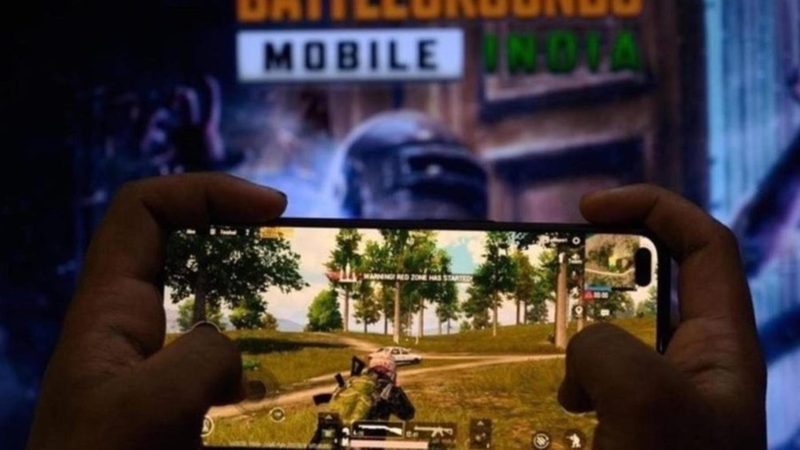
Changing your DNS is one of the most common tips passed around for Battlegrounds Mobile India (BGMI), Krafton’s India-only version of the battle royale. It is free, takes a minute and is easy to undo. It also has limits, and knowing them saves a lot of frustration. Here are the public DNS servers that are actively maintained today, how to set one up on your phone, and what it will and will not do for your game.
What DNS actually does
DNS, the Domain Name System, turns names such as google.com into the numeric IP addresses your phone connects to. Every app, BGMI included, looks up names when it starts and when it connects to a service. By default your phone uses whatever DNS server your mobile network or broadband provider hands it.
A public DNS server can be faster and more reliable at those lookups than a slow or overloaded provider default, and some add security filtering or encryption. That is the real benefit.
Will a DNS change lower my BGMI ping?
Usually not, and this is the part most guides skip. Your in-match ping depends on the network route between your phone and the game server: your connection type, Wi-Fi signal, congestion and distance. DNS is only involved when names are looked up, not in the stream of game traffic during a match. Where a better DNS does help is when your provider’s resolver is slow or unreliable, which can show up as long loading, failed logins or trouble connecting to lobbies. For lower in-match ping, a stable Wi-Fi or wired connection and closing background downloads matter far more.
Best DNS servers for BGMI
Every server below is run by an active provider and answered queries when we tested it on 2 October 2026. We have dropped services from older versions of this list that have closed or stopped responding, including Norton ConnectSafe, which shut down in 2018.
| Provider | Primary DNS | Secondary DNS | Private DNS hostname (Android) | Known for |
|---|---|---|---|---|
| Cloudflare | 1.1.1.1 | 1.0.0.1 | one.one.one.one | Speed and privacy |
| Google Public DNS | 8.8.8.8 | 8.8.4.4 | dns.google | Speed and reliability |
| Quad9 | 9.9.9.9 | 149.112.112.112 | dns.quad9.net | Blocks known malicious sites |
| AdGuard DNS | 94.140.14.14 | 94.140.15.15 | dns.adguard-dns.com | Blocks ads and trackers |
| OpenDNS (Cisco) | 208.67.222.222 | 208.67.220.220 | — | Security filtering |
| CleanBrowsing (security filter) | 185.228.168.9 | 185.228.169.9 | security-filter-dns.cleanbrowsing.org | Blocks malicious sites |
| Comodo Secure DNS | 8.26.56.26 | 8.20.247.20 | — | Security filtering |
| SafeDNS | 195.46.39.39 | 195.46.39.40 | — | Content filtering |
If you only want one answer: Cloudflare and Google are the usual first picks for speed, and Quad9 if you want malicious sites blocked as well. Ad-blocking DNS such as AdGuard can occasionally stop parts of an app from loading, so switch back if anything in BGMI misbehaves after the change.
How to change DNS on Android
Android 9 and later has a built-in Private DNS setting that works on both Wi-Fi and mobile data and encrypts your lookups:
- Open Settings and go to Network & internet (on some phones, Connections > More connection settings).
- Tap Private DNS and choose Private DNS provider hostname.
- Type a hostname from the table, for example one.one.one.one or dns.google, and save.
Private DNS takes a hostname, not an IP address, which is why the table lists both. Menu names vary a little between phone brands.
How to change DNS on iPhone
- Open Settings > Wi-Fi and tap the i next to your network.
- Tap Configure DNS, choose Manual, delete the existing servers and add the primary and secondary addresses from the table.
- Tap Save.
This applies to that Wi-Fi network only. To undo it on either platform, switch back to automatic.
Best DNS for BGMI: FAQs
Which is the best DNS for BGMI?
Cloudflare (1.1.1.1) and Google (8.8.8.8) are the most common choices for speed. Quad9 (9.9.9.9) adds protection against malicious sites.
Does DNS reduce ping in BGMI?
Not your in-match ping, which depends on your connection and the route to the game server. A better DNS can help if your provider’s default is slow, for example with loading and connecting.
Is it safe to change DNS?
Yes, with a reputable provider like those above, and it is easy to switch back to automatic.
When was BGMI launched, and was it banned?
BGMI launched on Android on 2 July 2021 and on iOS on 18 August 2021. It was blocked in India in July 2022 and allowed back in May 2023.
For more ways to tune the game, see our guides to BGMI sensitivity settings and 90 and 120 FPS in BGMI.
Photo credit: Imago