






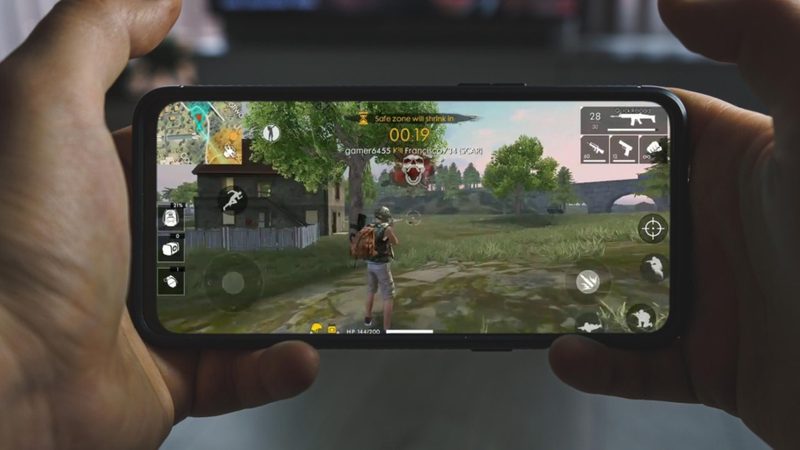
Free Fire is one of the most popular battle royale mobile games in the world.
Developed and published by Singaporean company Garena, Free Fire is a free to play battle royale game and first released on December 8, 2017. It is available on Android and iOS. In India the original Free Fire has been blocked since February 2022, but Free Fire MAX was not, and MAX is the version Indian players install, on phones and on PC.
Free Fire has Battle Royale and Clash Squad as the two main game modes. In the Battle Royale mode, as many as 50 gamers are released on an island and must battle to be the last one standing.
On the other hand, Clash Squad is a team-based mode where two teams of four players each compete against one another in a best-of-seven match, so a game lasts between four and seven rounds.
Apart from these two game modes, Free Fire provides more than 15 game modes, including Team Deathmatch, Clash Squad, Big Head, Explosive Jump, Cold Steel, Zombie Hunt, Rampage, and Pet Mania.
However, modes other than Battle Royale, Clash Squad, and Lone Wolf are only available during special events.
The popular game also offers an array of weapons, items, and vehicles that players can use to survive. The game also has a system of playable characters with unique skills.
In September 2021, Garena released Free Fire Max, a graphically enhanced version of the game. Free Fire Max offers enhanced gaming experience with improved features, textures, lighting, and sound effects.
Free Fire MAX download for PC: the official way
Free Fire MAX has an official Windows release through Google Play Games on PC, Google’s own PC app for Play Store games. It is not an emulator you configure yourself, and it is the route Google lists on the game’s Play Store page.
- Download Google Play Games on PC from Google’s website and install it.
- Sign in with the same Google account you use on your phone.
- Search for Free Fire MAX in the Google Play Games store and click Install.
- Open the game and log in with the account your Free Fire progress is linked to.
Google lists these minimum requirements for Free Fire MAX on PC:
- Windows 10 (version 2004) or later, with a Windows admin account
- A solid state drive (SSD) with 10 GB of free space
- Intel UHD Graphics 630 or a comparable GPU
- A processor with 4 physical CPU cores
- 8 GB of RAM
- Hardware virtualisation switched on in your PC’s settings
Free Fire MAX on PC with an emulator
If your PC does not meet those requirements, Android emulators such as BlueStacks and LDPlayer also run Free Fire MAX. Download the emulator only from its own official website, install it, and check its system requirements first.
- Open the Google Play Store inside the emulator and sign in with your Google account.
- Search for Free Fire MAX and click Install. Make sure the PC has enough free storage.
- Open Free Fire MAX from the emulator’s home screen and log in.
- Set up keyboard and mouse controls in the emulator before you play a ranked match.
Whichever route you take, install the game from the Play Store inside it, never from an APK file on a download site.
Keep your progress
Log in with the Google or Facebook account your Free Fire progress is already linked to. Avoid guest accounts: guest progress is tied to one device and is easy to lose when you switch to PC.
For better aim once you are in, see our guide to the best sensitivity for Free Fire one-tap headshots.
Photo credit: Imago