








Best sensitivity for Free Fire one-tap headshots, and how to land them
There is no magic code that switches on auto headshots in Free Fire MAX, but the right sensitivity settings make one-tap and drag headshots far more repeatable. Here are the values to start from and how to tune them for your phone.
Jul 2, 2026
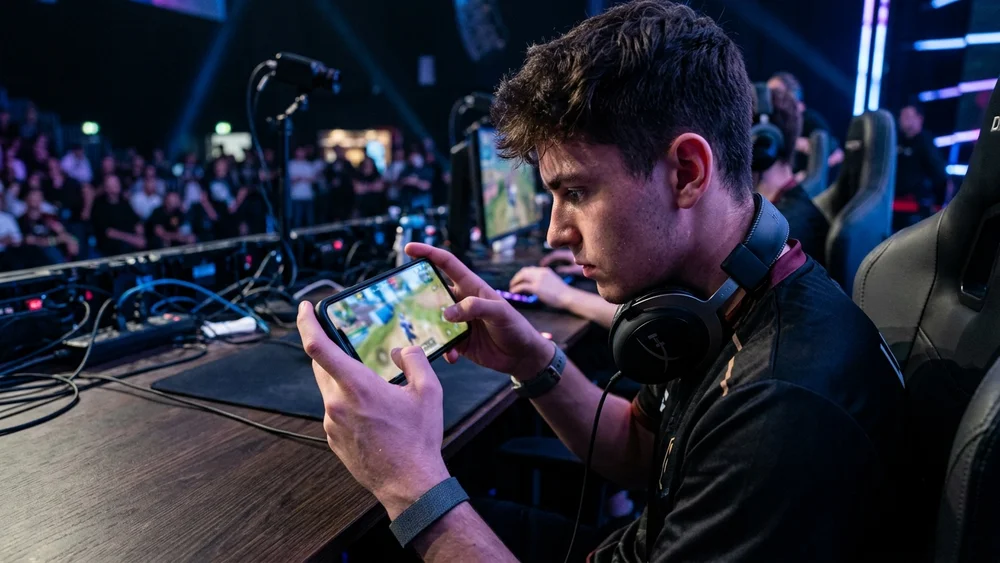
If you are chasing the best sensitivity for Free Fire one-tap headshots, the short answer is to run high General and Red Dot values and tune the rest around them. A solid base for most phones in Free Fire MAX is General 95, Red Dot 92, 2x Scope 82, 4x Scope 72, Sniper or AWM 37 and Free Look 82. Those numbers let you snap the crosshair from chest to head in one quick movement, which is what a clean one-tap really comes down to. The catch is that no set of numbers hands you free kills. Sensitivity is a starting point you shape around your device and your habits, not a switch that turns aim into a headshot.
What a one-tap headshot actually means in Free Fire
People use the phrase loosely, so it helps to be precise. A one-tap headshot is when your crosshair is already sitting on the enemy’s head and a single burst lands there. A drag headshot is different: you start with the crosshair lower, usually around the chest, then swipe the fire button upward in one short motion so the shots climb into the head as you fire.
Both live or die on crosshair placement. The best players keep the reticle at neck height by default, so the distance it has to travel to reach the head is tiny. High sensitivity matters here because it lets that short upward drag happen fast enough to catch a moving target. Set it too low and your swipe stalls at the shoulders. Set it far too high and the crosshair overshoots past the head every time.
One thing worth saying plainly: Free Fire has no legitimate button that gives automatic headshots. Anything advertising an auto-headshot toggle or a magic config file is a third-party hack, and using it risks a permanent ban. The settings below are the real ceiling, and it is a high one once the technique is there.
The best Free Fire sensitivity settings for headshots
Treat these as a base to copy in and then adjust, not a final answer. They suit close and mid-range fights, which is where most Free Fire gunfights are decided.
Balanced base (good for most players):
- General: 95
- Red Dot: 92
- 2x Scope: 82
- 4x Scope: 72
- Sniper / AWM Scope: 37
- Free Look: 82
Aggressive setup (faster, for confident dragging):
- General: 98 to 100
- Red Dot: 95 to 100
- 2x Scope: 88 to 95
- 4x Scope: 78 to 85
- Sniper / AWM Scope: 55 to 62
- Free Look: 75 to 82
General and Red Dot do the heavy lifting for headshots because they govern your hip-fire and red-dot tracking, which is where the vast majority of one-taps happen. The scope values matter less for headshot spraying and more for controlled sniping, so a low AWM value keeps long-range shots steady rather than twitchy. Free Look only moves the camera, so keep it wherever feels comfortable for peeking.
How to tune the sensitivity for your device
Free Fire sensitivity is personal because it interacts with your screen size, touch response and refresh rate. A value that feels razor sharp on a 90Hz phone can feel sluggish on a budget 60Hz one. That is why copying a pro’s exact numbers rarely feels right the first time.
Change one value at a time and test it before touching the next. The rule of thumb is simple. If your aim shakes or overshoots the head, drop General and Red Dot by five to ten points. If your upward swipe feels slow and shots stall on the body, raise General first, then Red Dot. Leave the scopes alone until the close-range feel is locked in.
DPI matters too, and it lives in your phone’s display or developer settings rather than the game. Many players find something around 480 DPI gives stable, repeatable aim. You can push higher, closer to 520, for a faster feel, but on weaker phones that can cost you frames, and steady frames beat raw speed for headshots. Whatever you land on, keep it consistent so your muscle memory has something to lock onto.
Why sensitivity alone will not fix your aim
This is the part most settings guides skip. Sensitivity is a tool, and a tool only works in trained hands. Three things decide your headshot rate far more than the last five points on your General slider.
First, crosshair placement. Keep the reticle at neck or head level as you move through cover, so you are already most of the way there before a fight starts. Second, the drag itself. Practise a short, smooth upward swipe rather than a violent flick, because a flick sends the crosshair sailing over the head. The Training Ground exists for exactly this, and ten focused minutes of dragging from chest to head does more than an hour of copying configs. Third, weapon choice. Guns with tight recoil and a fast fire rate reward the one-tap style, while heavy sprayers pull you into body shots.
Get those three habits in place and almost any sensible sensitivity will produce headshots. Skip them and the perfect config still leaves you spraying chests. If you also play Krafton’s battle royale, the same logic carries over, and our guide to the best BGMI sensitivity settings and no-recoil codes breaks down that game’s version of the same problem.
One-tap or drag: which should you learn first?
If you are starting out, build the one-tap habit before you chase flashy drag clips. One-tapping is really just disciplined crosshair placement, so it teaches you to hold the reticle at head height and keep it there while you move. That single habit lifts your headshot rate more than any config swap. Once holding the line feels natural, add the drag on top for the fights where an enemy drops low or strafes, since a short upward swipe closes the gap the one-tap cannot. Most consistent players end up blending the two without thinking about it, but the order you learn them in matters. Placement first, drag second.
Free Fire headshot sensitivity: quick answers
Is there an auto headshot sensitivity in Free Fire? No. There is no setting that fires headshots for you. Any app or config claiming to do it is a hack that can get your account banned. The values in this guide simply make good aim easier to repeat.
What DPI is best for headshots? Something around 480 DPI suits most phones and keeps aim stable. You can go higher for a faster feel, but only if your device holds its frame rate, because steady frames matter more than raw speed.
Will the same settings work on every phone? Not exactly. Screen size, touch sampling and refresh rate all change how a value feels, so use these numbers as a base and tune General and Red Dot until the drag feels right in your hands.
Keep testing after every big update
Garena reworks weapons, characters and feel with each major patch, and Free Fire MAX moved to the OB54 build in June 2026. The exact numbers here still hold across updates because they are built around technique rather than a single patch, but it is worth a quick Training Ground check after a big update to make sure nothing feels off. Lock in a base you trust, tune it slowly, and let the reps do the rest.